Mini apps are compact, capable web applications that run inside popular platforms — including Telegram. Unlike traditional apps, they do not require installation and load instantly in the messenger browser.
They let companies embed services in the messenger, providing quick access for users. For business that means simpler customer management, shorter development time, and a smooth experience right inside Telegram chats.
Key benefits — any modern browser is enough
Fast load – mini apps run in the browser and do not ask users to install anything on a device.
Cross-platform – available on Android, iOS, and any browser where Telegram opens.
Flexible – the interface and features can be adapted to different goals.
Few restrictions – easy integrations with payment services and CRMs.
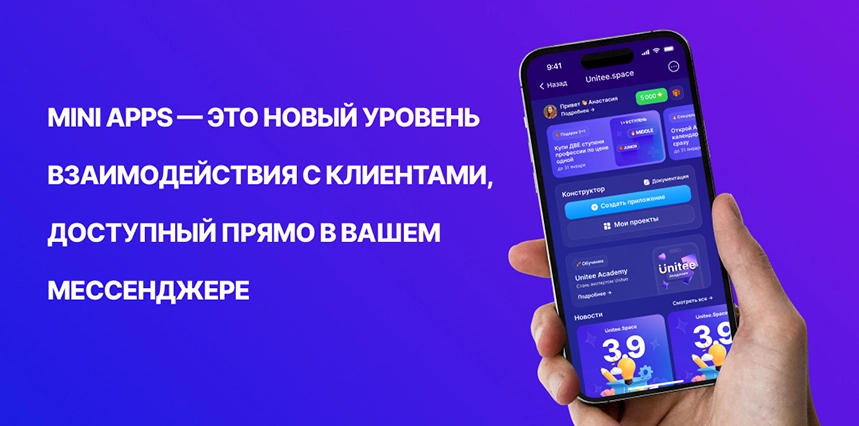
With a mini app you can automate business processes, create a convenient environment for client interactions, and improve user experience.
This article explains how mini app development introduces digital tools to your business, what technologies are used, and how to order a Telegram mini app from specialists.
What are Telegram mini apps and why are they needed?
Telegram mini apps are interactive mini applications that run inside the messenger via the built-in browser. They offer instant access to features without installing a standalone app, lowering entry barriers and keeping the experience seamless.
Thanks to APIs, different auth methods, and a flexible architecture, mini apps are powerful business tools. They automate processes, simplify customer interactions, and elevate the user experience.
How do mini apps differ from classic apps?
Mini apps are lightweight versions of classic applications adapted for the messenger. They keep essential capabilities but do not need to be downloaded, take up little storage, and load quickly.

Key differences
-
No installation required
-
Mini apps run in the messenger browser without taking space on the phone.
-
Launch is instant — no extra downloads.
-
-
Flexible integrations
-
APIs let mini apps connect to external services, CRMs, payment platforms, and databases.
-
It is simple to add new features and extend mini apps over time.
-
-
Expanded communications
-
Integration with bots, chats, and channels in Telegram gives teams more tools to work with their audience.
-
Automated outreach via messages, notifications, personalized offers, and actions in chat.
-
Where are mini apps used?
Companies are actively adopting mini applications to raise process efficiency and improve customer interactions. Examples include:
1. Offline businesses
Beauty industry – appointments, schedules, promotions.
HoReCa (restaurants, cafes, hotels) – food ordering, table booking, loyalty programs.
Retail – discount alerts, loyalty management.
Coworking – booking desks and events, timetables.
Fitness centers – class bookings, personalized tips.
Creative studios – workshop sign-ups, schedule management.
Logistics and transport – shipment tracking, order handling, delivery reminders.
2. Services
Education providers – tests, courses, quizzes, class bookings, schedules.
Real estate agencies – booking viewings, client communication.
Auto services – booking maintenance, reminders.
Consulting and legal firms – appointment scheduling, feedback.
3. Online and digital products
Online stores – catalogs, customer accounts.
Communities – gamification, referral systems.
Creators – personal apps for sales and interaction.
Gaming communities – tournaments and membership management.
4. Events
Event organizers – ticket sales and alerts.
Cultural venues – exhibition updates, ticketing.
Event agencies – corporate events, weddings, celebrations.
5. Health
Medical and dental clinics – bookings and online consultations.
Dietitians – personal meal plans, reminders.
Health & wellness centers – class sign-ups, personalized programs, recommendations.

Mini apps in WeChat – a step ahead of Telegram?
The mini app format is mature in China. WeChat, the largest messenger, has long embraced mini applications.
What does WeChat offer?
-
Full ecosystems that replace separate apps.
-
Deep payment integrations for shopping, bill payments, and financial services.
-
Access to public services – taxes, appointments, banking.
-
Thousands of third-party mini apps for business and consumers.
Telegram is only starting to scale mini apps, and the potential is huge. The platform already gives developers solid tools.
Bottom line: why the future belongs to mini apps?
Mini apps are gaining popularity because:
-
Low device requirements – they run even on modest phones.
-
Instant access – no downloads, faster user engagement.
-
Resource savings – businesses avoid the cost of full-scale apps.
-
Flexibility – support for APIs, integrations, and automation.
-
Super-app trend – messengers become all-in-one hubs.
Telegram is investing in mini apps. Early adopters will earn an edge.
Telegram mini apps are convenient for businesses and users alike: no separate application to install, and functionality grows through new interfaces, databases, and payment tools.
In short, mini app development helps companies attract users faster, streamline operations, and cut the cost of building a traditional application.
Benefits and capabilities
Using Telegram mini apps opens new possibilities for automation, convenient services, and higher engagement.
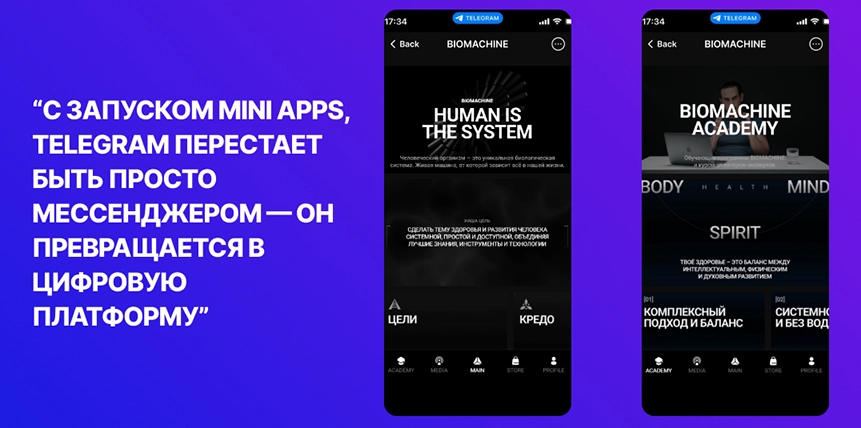
Why mini apps are convenient for business
Mini apps let teams create handy web apps inside the messenger without the overhead of classic apps. Key advantages:
-
Accessible – they run in the browser without downloads.
-
Flexible – adapt the interface and integrate with other services.
-
Secure – the messenger environment protects mini apps.
-
Cost-efficient – building a mini app takes fewer resources than a full application.
Available APIs and interfaces
Mini app development uses the Telegram API, which unlocks core messenger features:
-
Authentication – identify a user without extra sign-ups.
-
Bots – process requests, orders, and subscriptions.
-
Data exchange – send and store user data on secure servers.
-
Interactive UI – buttons, forms, and lists for smooth interactions.
Using the API cuts the time needed to deliver complex features.
Limitations and requirements
Despite the broad capabilities, mini apps have a few constraints:
-
Limited functionality – not every feature from classic apps is available.
-
Data storage – external services are needed for working with data.
Even so, mini apps help businesses and developers launch web applications quickly and efficiently.
How to start developing a Telegram mini app
Building a Telegram mini app is flexible: you can code from scratch or use no-code tools. Whichever path you choose, it is important to define goals, required functions, and interfaces.
Development options
-
No-code builders – for fast prototyping and launch without programming.
-
Custom development – for complex projects that need unique logic.
-
Hybrid – combine both approaches: start with a builder, then extend with code when you need interfaces or integrations.
With API support you can add chat bots, payment systems, analytics, and external databases.
Requirements for a quality mini app
-
Performance – quick startup and smooth interactions without bugs.
-
Security – protected data exchange, verified interfaces, secure authentication.
-
User journey – intuitive navigation, concise UI, clear actions.
-
Compatibility – works on different devices and Telegram versions.
At the planning stage decide which functions, interfaces, and integrations are critical so the project launches on time.
Self-build vs outsourcing
You can create a mini app yourself using a builder, or hire developers for custom work.
-
Self-build – ideal for MVPs and quick tests. Builders provide ready-made components, interfaces, and integration blocks.
-
Hiring developers – best for complex applications, unique logic, or strict security requirements.
When outsourcing, prepare a detailed brief so the team understands the project scope.
Checklist for your mini app brief
A good technical brief keeps development under control and prevents misunderstandings.
-
Project description
-
Why you need a mini app and which tasks it must solve.
-
Business processes to automate.
-
Which actions the user can take.
-
-
Audience
-
Who the main users are and their journey.
-
Age, habits, and scenarios.
-
How the app helps in daily tasks.
-
-
Functionality
-
What the mini app must do: authentication, handling messages, API integrations, working with bots, collecting data.
-
Extra features that improve the user experience.
-
What data is collected and how message flows with the bot should look.
-
-
Interface and design
-
Which visual elements you need.
-
Requirements for responsiveness across different Telegram versions.
-
Navigation, buttons, and animations.
-
-
Integrations
-
Which services and systems the mini app must connect to.
-
Links to CRMs, databases, payment services, and APIs.
-
Auth methods (Telegram ID, email, etc.).
-
-
Timeline and control
-
Project phases and deadlines.
-
Prototype, testing, and revision cadence.
-
Quality-control methods.
-
-
Extra requirements
-
Future features to add.
-
Support for different Telegram versions.
-
Advertising mechanics for promoting the mini app.
-
Why the brief matters
The more detailed the requirements, the easier it is to manage mini app development, align with developers, and compare results with the original plan.
Choosing a contractor – freelancer or studio?
When ordering a Telegram mini app, you can hire a freelancer or a studio team. Assess the limitations, working methods, and risks before deciding.
Freelancers often cover everything from concept to testing, which may slow the process. Lack of a backup team can limit scaling. Clarify cooperation details and conditions for adding features to avoid delays. One specialist may handle interfaces, write code, and set up logic, but with no reserve experts it is harder to get prompt support.
Studios cost more but provide a team for briefs, prototypes, and final testing, plus warranties and support.
How to pick a reliable vendor
To reduce risk and get a quality mini app, focus on:
-
Portfolio – completed mini app projects and used tools.
-
Reviews – ratings on freelance platforms and client references.
-
Experience with the Telegram API – understanding interfaces and external integrations.
-
Formal agreement – a contract that defines development stages, deadlines, and responsibilities.
Controlling development stages
Even after handing off the project, you need to control the process to avoid deviations from the brief.
-
Design – align content, create prototypes, and prepare initial UI schemes.
-
Development – implement actions, configure APIs, work with bots, process data, and integrate the server.
-
Testing – find bugs, refine features, and test on different devices and Telegram builds.
-
Launch – final setup, analytics, polishing interfaces, and preparing promotion.
Why control matters
Regular communication, checking interim deliverables, and testing help catch issues early and adjust the application before release. That reduces risk, improves quality, and makes it easier to add features later.
Examples of Telegram mini apps
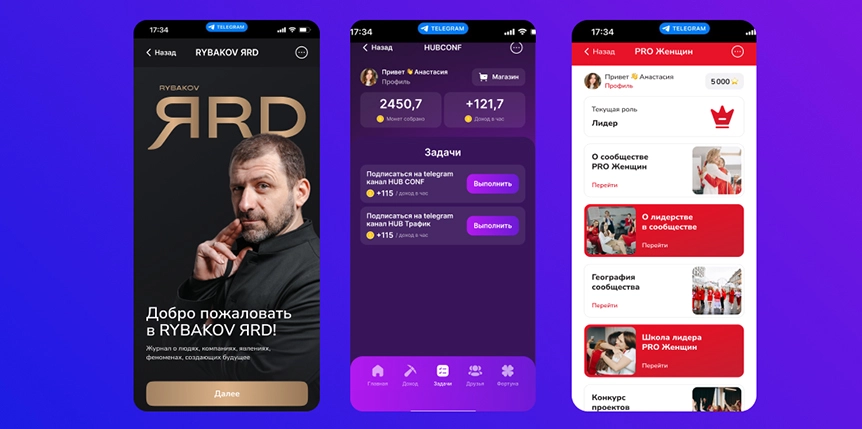
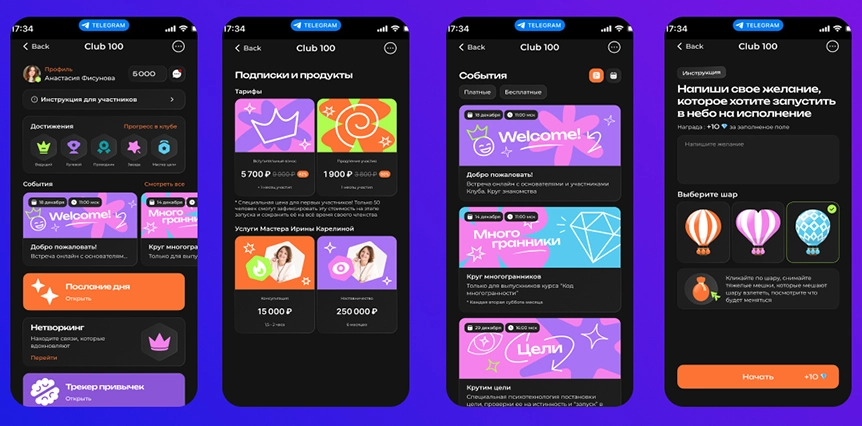
Telegram mini apps are used across verticals — from online stores to financial services. Well-executed development delivers convenient, functional mini applications that solve business tasks and improve interactions with users.
Wrapping up
Telegram mini apps are powerful tools for businesses, simplifying automation, customer service, and payment integrations.
Thanks to the Telegram API, bots, intuitive interfaces, and broad device support, mini applications are becoming a popular solution.
Because mini apps do not require installation, users get instant access to services right inside the messenger.
Development can rely on builders or on APIs, bots, and server-side solutions.
Mini applications are used everywhere — from online stores to CRMs and financial services. Telegram is only beginning this journey.
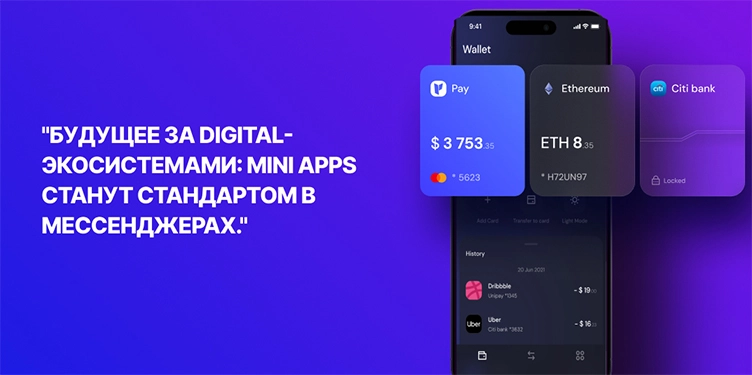
Why launch a Telegram mini app?
Today you can run a business without building a full website or traditional web pages.
A Telegram mini app improves interactions with users, automates processes, and makes services more accessible. Mini applications unlock new opportunities for companies and convenient solutions for users inside their favorite messenger.
If you need to build a mini app, choose the right development approach, consider the interface, security, and external integrations. Telegram mini apps are the future of digital interaction, opening new perspectives for businesses and end users.
This approach lets you launch a project quickly, automate customer communications, and integrate payments.
To launch successfully, prepare a clear brief, define key features, and assemble a team to support and evolve the service. The flexibility of mini apps makes it easy to add features and improve the UI without heavy rework.
A thoughtful approach to creating digital solutions and proper setup helps businesses execute every action efficiently, attract users, and deliver a better customer experience.